Export Facebook friends, followers, and following to CSV.
Turn any visible Facebook friends, followers, or following list into a clean CSV with names, profile links, and avatars.
No credit card · No per-export profile cap · CSV ready
Unlimited exports
Run as many exports as you need.
Three list types
Export friends, followers, or following from any visible profile.
Spreadsheet ready
Open the CSV in Sheets, Excel, or your own workflow.
Built for the task
Export Facebook connections without the busywork.
A focused workflow that helps you capture available profile information, review the results, and export when you’re ready.
Profiles exported
1,284
ReadyHow it works
Three small steps. One tidy spreadsheet.
Open Friends and Followers Exporter, choose a list type and profile, then download the results.
Want the full walkthrough? Read the export guide.
Open the extension
Click the Friends and Followers Exporter icon in your browser toolbar.
Choose what to export
Choose Friends, Followers, or Following, then enter a Facebook profile URL or ID.
Review and download
Review the results, remove anything you do not want, and download the CSV.
Export today. More profile details coming soon.
Detailed Mode is coming soon with more profile fields. Friends and Followers Exporter is completely free.
Leave your email and we will send you a launch update.
Export fields
Know exactly what is included before you start.
Available today
- Name
- Profile link
- Avatar
Detailed
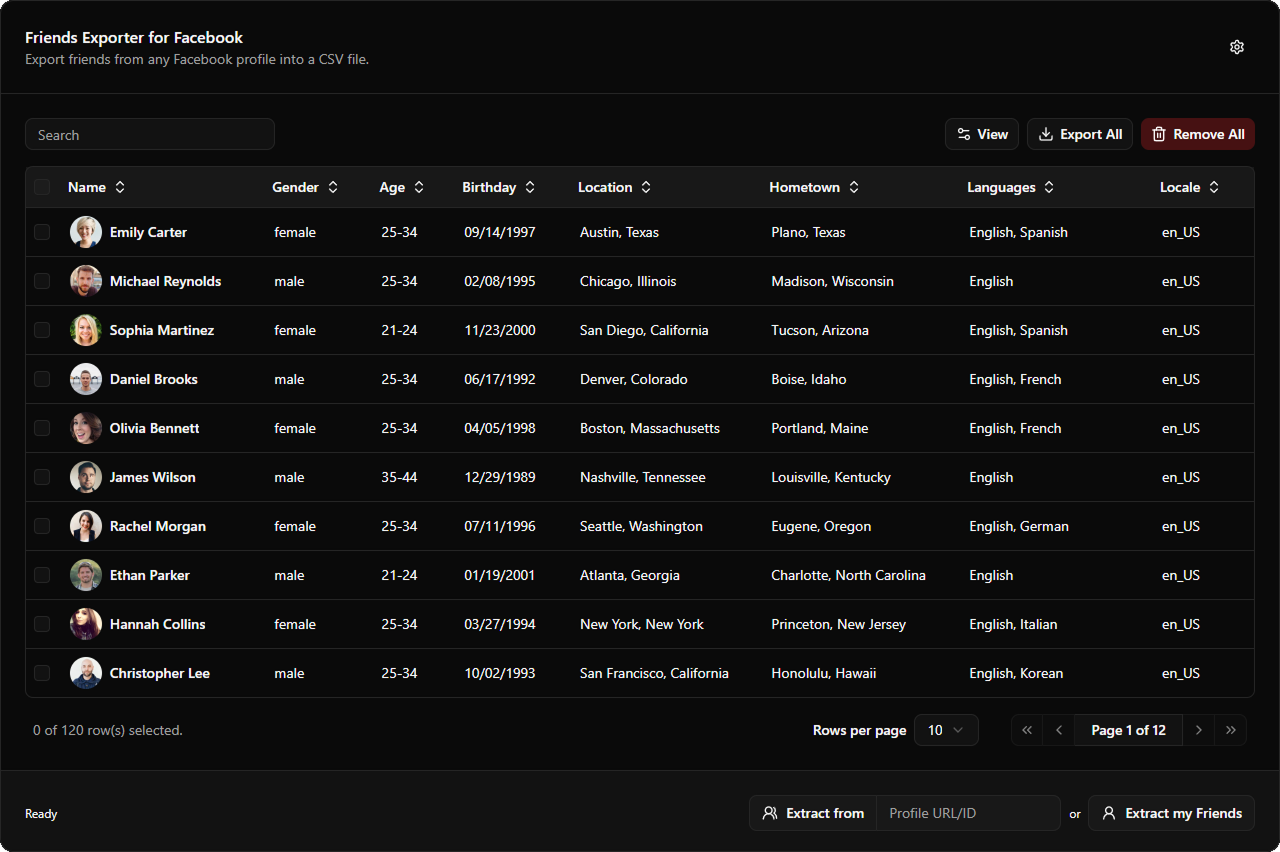
- Gender
- Age
- Birthday
- Location
- Hometown
- Languages
FAQ
A few things worth knowing.
The short version: accessible profiles in, clean CSV out. Detailed fields come later.
How do I export Facebook friends, followers, or following to CSV?+
Install Friends and Followers Exporter, open it from your browser toolbar, choose Friends, Followers, or Following, enter a profile URL or ID, review the results, and download the CSV.
What does Friends and Followers Exporter export today?+
Friends and Followers Exporter exports names, profile links, and avatars from visible friends, followers, and following lists. It is completely free, with no per-export profile limit.
Can I export lists from someone else’s profile?+
You can use your own profile or another profile whose friends, followers, or following list is visible to your Facebook account. Availability depends on Facebook’s current page and privacy settings.
What is Detailed Mode?+
Detailed Mode is coming soon with fields such as gender, age, birthday, location, hometown, languages, and locale. Friends and Followers Exporter is completely free.
Which file format do I get?+
The extension creates a clean CSV file that opens in Excel, Google Sheets, Numbers, and most CRM or database tools.

Export Facebook friends, followers, and following for free.
Install Friends and Followers Exporter and turn visible Facebook profile lists into a clean CSV.
Add to Chrome for freeFriends and Followers Exporter is completely free.